
Reversing Treadmill Bluetooth - Wrapping Up
This is part of a few posts on trying to understand my treadmill’s Bluetooth.
Writing output
Our whole goal was to write live state to a CSV, and with some tweaks to our script our dreams come true:
incline,speed,distance,time
3.5,0.0,0.0,0
3.5,0.0,0.0,0
3.5,0.0,0.0,0
3.5,6.5,0.001,1
And that’s…pretty much it. As a CSV we can do whatever kinds of analyses we want, create charts/graphs, IPO, etc.
As noted earlier, the final script(s) can be found here .
Android app
Relatively early in this process, I realized this would be most useful as an Android app. Since I didn’t know anything about making Android apps, I decided to write a quick Python script as a stopgap - this would let us start recording data while learning about Android.
Learning about Android was fun, and initially everything was going swimmingly - the UI functioned and the Bluetooth stuff was coming along. I mean look at this thing:
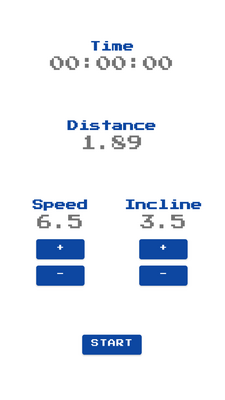
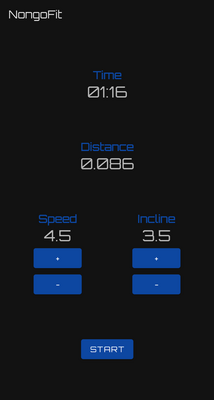
Retro and future themes! A nonsensical start button! Harsh color contrast in dark mode! So much potential!
Then I stupidly tried to clean up my git repo without actually committing my
changes, losing all of the Bluetooth work (which took a while). That was
somewhat demoralizing and sapped most of my motivation to finish it. One day…
The end
Overall this was pretty fun. Unlike most of my projects, the end result was actually useful (I now have data to prove how bad I am at running), and there are still things left to do if I ever come back to it:
- Where are the calories??
- Identify the rest of the data
- Explore other areas - for example, there is an ‘undocumented’ screen in the settings menu that displays hex bytes
- Look for a way to dump all internal treadmill state
However for now, this is a good place to stop. Until next time!